
If you’ve ever downloaded a song, streamed a podcast, or saved a video from YouTube, you’ve interacted with MP3 or MP4 files, probably without realizing it. These two formats dominate digital media, yet they serve fundamentally different purposes. In this guide, you will learn what MP3 and MP4 are, how they compare, and which one makes more sense for music, podcasts, videos, and everyday use.
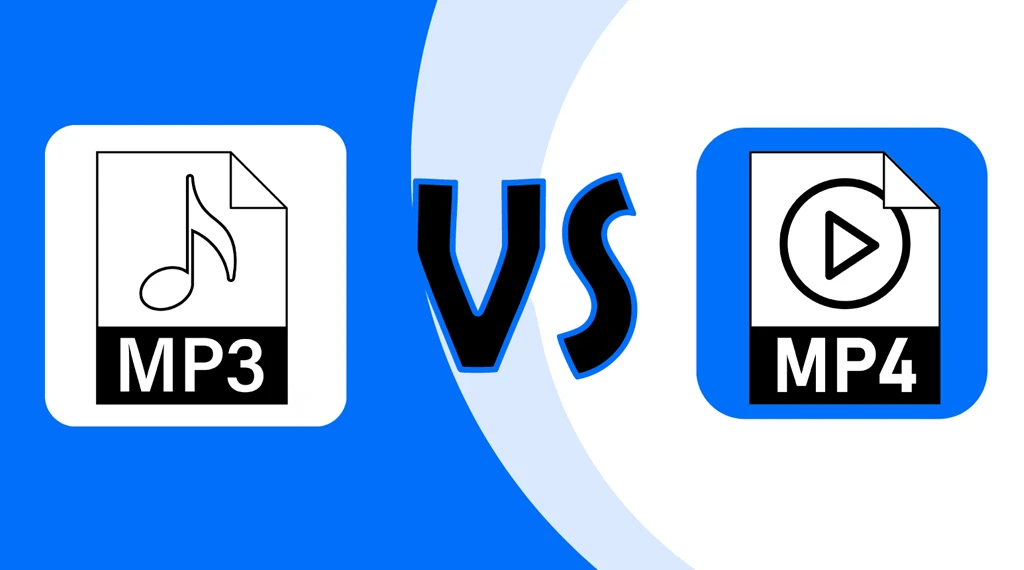
What is MP3?
MP3 stands for MPEG-1 Audio Layer 3. First introduced in the 1990s, it revolutionized how we store and share music by using lossy compression—a technique that dramatically reduces file size by removing sounds the human ear can barely perceive.
Key characteristics of MP3:
- Audio only — no video, no subtitles, no images
- Lossy compression — typically achieves about 10% of original CD size while preserving acceptable quality
- Universal compatibility — plays on virtually every device, from old MP3 players to modern smartphones
- Ideal for — music, podcasts, audiobooks, and any audio-only content
Think of MP3 as a lightweight backpack designed to carry just your audio essentials—nothing more.
What is MP4?
MP4 (officially MPEG-4 Part 14) is a container format, not a simple audio codec. Unlike MP3, which can only store sound, MP4 can bundle multiple types of media into a single file: video streams, audio tracks, subtitles, still images, and even metadata like chapter markers.
Key characteristics of MP4:
- Multimedia container — holds video, audio, subtitles, images, and more.
- Flexible compression — can use various codecs (e.g., H.264 for video, AAC for audio).
- Modern compatibility — supported by all major streaming platforms and devices.
- Ideal for — movies, TV shows, video clips, e-learning content, and presentations.
Think of MP4 as a moving box that can carry video, audio, and instructions all together in one trip.
MP3 vs MP4: The Key Differences
The fundamental difference is simple but critical: MP3 stores only audio, while MP4 is a container that can store audio, video, and more.
| Feature | MP3 | MP4 |
| Full Name | MPEG-1/2 Audio Layer III | MPEG-4 Part 14 |
| Format Type | Audio coding format | Multimedia container |
| Media Support | Audio only | Audio, video, text, images, subtitles |
| File Extension | .mp3 | .mp4, .m4a, .m4v |
| Compression | Lossy audio compression | Lossy audio + video compression |
| Typical File Size | Smaller (audio only) | Larger (contains more data) |
| Device Compatibility | Universal audio player support | Broad; may vary with advanced features |
| Streaming Use | Audio streaming (Spotify, podcasts) | Video streaming (YouTube, Netflix) |
The simplest way to think about it is this: MP3 is built for listening, while MP4 is built for multimedia. If you only need audio, MP3 is usually the lighter and simpler option. If you need video or extra elements like subtitles, MP4 is the better fit.
Audio Quality: Is MP4 Better Than MP3?
This is where confusion often arises. MP4 itself doesn’t guarantee better audio quality — the codec inside the container does.
If an MP4 file uses AAC audio at 256 kbps, it will generally sound better than an MP3 at the same bitrate because AAC is a more efficient codec.
However, if an MP4 contains an MP3 audio stream, the quality is identical to a standalone MP3 file.
Bottom line: MP4 can deliver better audio, but only when paired with advanced codecs like AAC or ALAC.
Advantages and Disadvantages
MP3 Pros and Cons
Advantages:
- Tiny file sizes — perfect for storage-constrained devices.
- Universal compatibility — works on virtually every media player, smartphone, and car stereo.
- Streaming efficiency — minimal buffering and low bandwidth usage.
- Customizable bitrates — choose quality vs. size at encoding time.
Disadvantages:
- Lossy compression — some audio fidelity is permanently lost.
- No video support — strictly audio-only.
- Limited metadata — basic ID3 tags only (artist, title, album).
MP4 Pros and Cons
Advantages:
- Multimedia versatility — handles video, audio, subtitles, and images in one file.
- Better compression efficiency — H.264/HEVC delivers high quality at smaller sizes than older formats.
- Rich metadata — supports chapters, subtitles, artwork, and descriptions.
- Multi-language support — can store multiple audio tracks for language switching.
Disadvantages:
- Larger file sizes — especially for video content.
- Complexity — encoding and playback can vary depending on codecs used.
- Compatibility gaps — older devices may struggle with advanced features like subtitles or high resolutions.
When to Use MP3 vs MP4
Use MP3 When:
- You’re storing or streaming music, podcasts, or audiobooks.
- Storage space is limited (e.g., older MP3 players, budget smartphones).
- You need maximum device compatibility.
- You’re distributing audio-only content via RSS feeds (podcasting).

Use MP4 When:
- You’re working with video content (YouTube, social media, movies).
- You need subtitles, chapters, or multiple audio tracks.
- You’re building multimedia presentations or e-learning content.
- You want better audio quality using AAC or ALAC codecs inside the container.
Common Misconceptions
- MP4 is just the next version of MP3: False. They serve entirely different purposes. MP3 is audio-only; MP4 is a multimedia container.
- MP4 always has better audio quality: Not necessarily. An MP3 at 320 kbps can sound better than a poorly encoded MP4 at 128 kbps. Quality depends on the codec and bitrate.
- MP4 files are only for video: MP4 can hold audio-only content (often saved as .m4a). Many music streaming services use MP4 containers with AAC audio.
How to Optimize MP3 and MP4 Files
Optimizing MP3 Files
- Choose the right bitrate: 128 kbps for voice/podcasts; 256–320 kbps for music.
- Use VBR (Variable Bitrate): Allocates higher bitrate to complex sections and lower to simple ones, saving space without sacrificing quality.
- Start from lossless sources: Convert from WAV or FLAC rather than re-compressing an existing MP3.
Optimizing MP4 Files
- Select modern codecs: Use H.264 or HEVC for video; AAC for audio.
- Match resolution to platform: 1080p for YouTube; 4K only if your audience demands it.
- Enable adaptive bitrate streaming: Adjusts quality in real-time based on viewer connection speed.
Frequently Asked Questions (FAQs)
- Can MP3 players play MP4 files?
No. Standard MP3 players are designed for audio-only files and lack the codecs to decode video or container formats like MP4.
- Can an MP4 file contain only audio?
Yes. When an MP4 container holds only audio, it’s often saved with the .m4a extension. This is common in Apple Music and iTunes.
- Is MP3 or MP4 better for YouTube?
YouTube requires video files, so MP4 is the correct choice. You cannot upload audio-only MP3 files directly to YouTube’s main platform.
- Does converting MP3 to MP4 improve quality?
No. Converting a lossy MP3 to an MP4 container cannot restore lost audio data. For best results, encode MP4 audio from a lossless source like WAV or FLAC.
- Which format do streaming services use?
Most audio streaming platforms (Spotify, Apple Music) use AAC within MP4 containers for delivery, though MP3 remains widely supported for downloads and podcasts.
Conclusion
The MP3 vs MP4 debate isn’t about which format is objectively “better” — it’s about choosing the right tool for the job.
Choose MP3 when you need a lightweight, universally compatible audio format for music and podcasts.
Choose MP4 when you need a flexible container for video, multimedia projects, or higher-quality audio using modern codecs like AAC.
Understanding these differences ensures your media looks and sounds its best while keeping file sizes manageable and playback seamless across all your devices.