
Whether you’ve just unboxed a brand-new Moto G Stylus 2026 or are considering getting one, having its user guide on hand is a smart move. This guide cuts through the noise, showing you exactly where and how to download your Motorola Moto G Stylus 2026 user guide PDF quickly and safely.
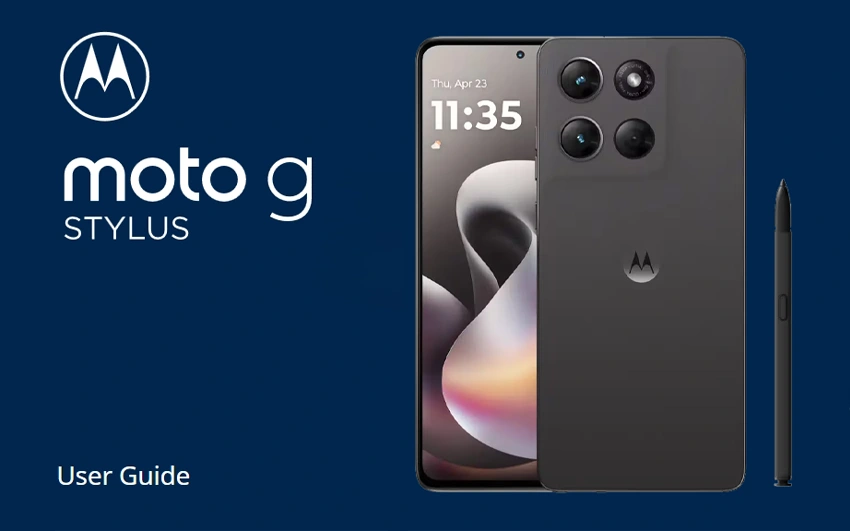
Where to Download Moto G Stylus 2026 User Guide
Finding the official Moto G Stylus 2026 user guide PDF doesn’t have to be complicated. Whether you’ve lost your printed user manual, prefer reading on a larger screen, or need to troubleshoot stylus features, this guide covers every verified method to get the official documentation—directly from Motorola and trusted carriers.
Method 1: Download from Motorola Support (Official)
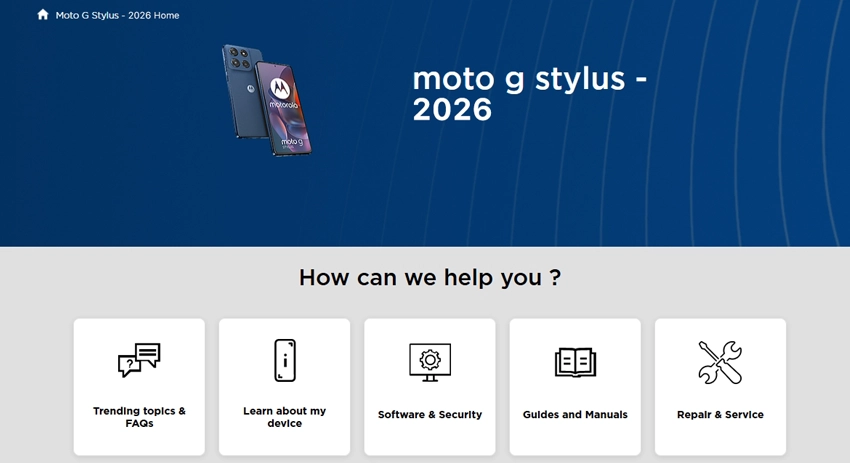
The most reliable source for the Moto G Stylus 2026 manual PDF is Motorola’s official support portal. Motorola publishes both HTML and PDF versions for each device model year.
Step-by-step:
- Visit the official Motorola Support page for the device: en-us.support.motorola.com and search for “moto g stylus 2026”.
- Click on Guides & Videos – Moto G Stylus – 2026.
- Look for the link labeled “User Guide (PDF) – moto g stylus – 2026”.
- Tap or click the PDF link to open it in your browser.
- To save it: press Ctrl + S (Windows) or Cmd + S (Mac), or tap the download icon on mobile.
Tip: If the PDF opens in-browser but you want an offline copy, ensure your PDF reader app is installed first. Motorola notes that “to best view this guide, download a PDF reader app, then open the guide in the app”.
Method 2: Access the PDF via Your Carrier
If you purchased your Moto G Stylus 2026 through a carrier like AT&T, Verizon, or US Cellular, you can often find a branded version of the same manual hosted on their support sites.
| Carrier | Resource Type | Notes |
| AT&T | Retail User Guide PDF | Often identical to Motorola’s official version with carrier-specific setup notes |
| Verizon | Device User Manual | Hosted as PDF; may include network-specific instructions |
| US Cellular | User Guide PDF | Direct PDF download available in device support tabs |
How to find it:
- Go to your carrier’s device support page.
- Search for “Moto G Stylus 2026.”
- Navigate to the Manuals or User Guide tab.
- Download the PDF directly.
Method 3: Find It On Your Phone (No Download Needed)
You don’t always need to download the Moto G Stylus 2026 user guide. Motorola builds the manual directly into the phone’s software.
To access it:
- Swipe up from the home screen to open the app drawer.
- Open Settings.
- Tap Help or About phone > Help.
- Browse topics like Stylus shortcuts, Camera, Wi-Fi, and Battery.
This built-in help mirrors the content in the official PDF and includes search functionality, making it useful when you need a quick answer without leaving your device.
What’s Inside the Moto G Stylus 2026 Manual
Based on the structure of recent Moto G Stylus manual, the 2026 PDF typically includes the following sections:
- Get Started: SIM/microSD insertion, power on, sign-in, Wi-Fi setup
- Stylus: Features Removal, shortcuts, Moto Note, removal reminders, last-location tracking
- Home Screen & Navigation: Gestures, Quick Settings, app management, widgets
- Camera: Photo/video modes, portrait, HDR, Google Lens, settings
- Connectivity: Bluetooth pairing, Wi-Fi hotspot, Cast, NFC, Nearby Share
- Security: Fingerprint, face unlock, screen lock, Secure Folder
- Accessibility: TalkBack, Select to Speak, BrailleBack, text-to-speech
- Troubleshooting: Battery, calls, SD card, and reset instructions
The stylus section is especially important for this model, covering how to “push the stylus inward to release it” and customize shortcuts via Settings > Stylus.
Troubleshooting: PDF Won’t Open or Download
If you have trouble accessing the Moto G Stylus 2026 user guide PDF, try these fixes:
- PDF won’t open on phone: Install or update a PDF reader app (Adobe Acrobat, Google Drive)
- Link returns error: Clear your browser cache or try the HTML version first
- Download starts but fails: Check storage space; the manual is typically 2–5 MB
- Can’t find 2026 model page: Ensure you include “2026” in your search—Motorola separates guides by model year
- Need Spanish or other language: Look for “Guía de inicio” or change the region on Motorola’s support site
Frequently Asked Questions
- Is the Moto G Stylus 2026 user guide free? Yes. Motorola provides the official user guide at no cost on their support website .
- Can I print the manual? Yes. Once downloaded, the PDF can be printed like any standard document. Third-party sites like AllAboutMotoG also note that users often print these guides for easy reference.
- What’s the difference between the HTML and PDF versions? The HTML version is browsable online and optimized for mobile screens. The PDF is the full, printable document with identical content.
- Does the manual cover 5G variants separately? Carriers sometimes publish separate guides for 5G models (e.g., “moto g stylus 5G”), but the 2026 standard and 5G variants often share a core manual with addendums for 5G-specific features.
Final Thoughts
Having the Moto G Stylus 2026 user guide PDF saved on your phone means you’re never more than a few taps away from the answers you need. Whether you’re learning the stylus shortcuts, tweaking camera settings, or troubleshooting an issue, the official guide is your best resource.
Bookmark this page or save the PDF to your device today — you’ll thank yourself later. And if you found this guide helpful, share it with a fellow Moto G Stylus owner!