
If you just unboxed your new Samsung Galaxy A57 5G and are wondering where to find the official user guide, you are in the right place. The Samsung Galaxy A57 5G user guide is completely free to download, and this article walks you through every method to access it — on your phone, on your PC, and through third-party sources.
What Is the Samsung Galaxy A57 5G User Guide?
The Samsung Galaxy A57 5G user guide is an official document published by Samsung Electronics that provides step-by-step instructions for setting up, operating, and troubleshooting your device. It covers everything from the initial device setup and camera controls to advanced settings, AI features, and connectivity options.
The manual for the Galaxy A57 5G is based on Android 16 with One UI 8.5, and Samsung has officially released it as a downloadable PDF (version 1.0, approximately 2.97 MB). Whether you are a first-time Galaxy user or upgrading from an older model, the user guide is an invaluable resource.
Method 1: Get your Galaxy A57 Manual here
You can get the official Samsung Galaxy A57 5G user guide for free below. These platforms are especially useful if the Samsung support page is temporarily unavailable in your region.
| Country | Language | Download |
| Global | English | Download |
| US | English | Download |
Method 2: Download the Official User Guide from Samsung’s Website (Free PDF)
The easiest and most reliable way to get the Samsung Galaxy A57 5G user guide for free is directly from Samsung’s official support website. Follow these steps:
- Open your web browser and go to samsung.com/us/support/downloads (or your country’s Samsung support page, e.g., samsung.com/uk, samsung.com/au, samsung.com/ae).
- In the search bar labeled “Search by model code or product name”, type SM-A576 (the Galaxy A57 5G model code) and press Enter.
- Select your specific device variant from the results.
- Scroll down to the “User Manual” section.
- Click Download to save the PDF to your computer, or click View to read the web version online.
Pro Tip: Save the PDF to your phone’s storage so you can access it anytime, even without an internet connection.
The Samsung Gulf (Middle East) support page, for example, already hosts the official Galaxy A57 5G User Manual (Android 16), version 1.0, released on March 26, 2026.
Method 2: Access the User Guide Directly on Your Samsung Galaxy A57 5G
You do not need a PC to read the manual. Samsung has built the user guide directly into your device. Here is how to access it:
- Open the Settings app on your Galaxy A57 5G.
- Scroll down through the menu.
- Look for a section labeled “User Manual”, “Tips and User Manual”, “Help”, or “Tips and Help” — the exact name may vary by carrier and software version.
- Tap on it and select User Manual or User Guide.
- The manual will open in your internet browser.
This is the most convenient method if you need a quick answer while using your phone. Use the search bar within the manual to find information on specific topics instantly.
What the Samsung Galaxy A57 5G User Guide Covers
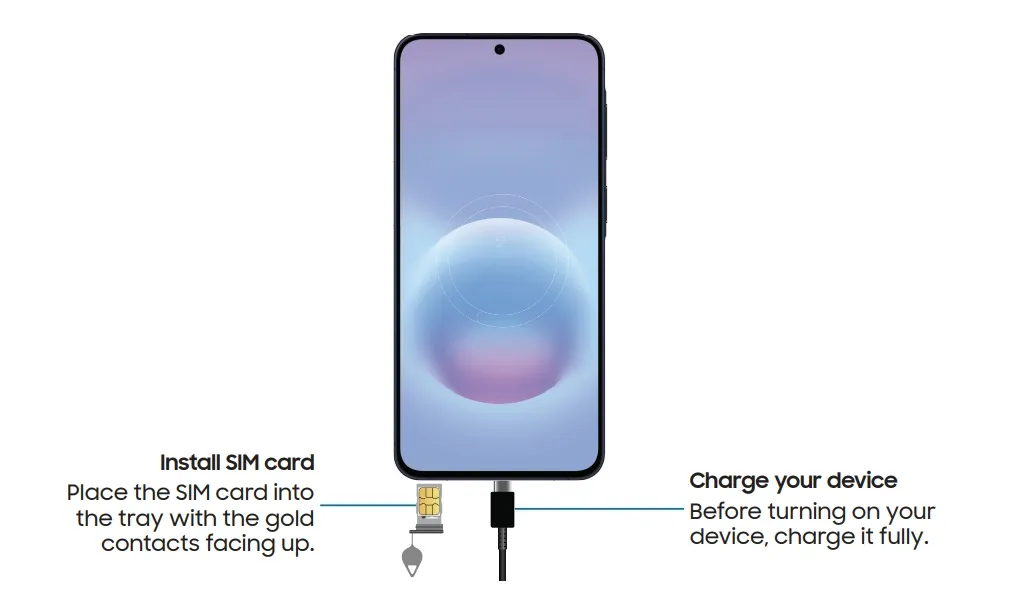
The official user guide is organized into the following key sections:
How to Navigate the Samsung A57 5G User Guide Effectively
Once you have downloaded the manual, use these tips to get the most out of it:
- Use Ctrl+F (PC) or the in-browser search to quickly jump to the topic you need, rather than reading page by page.
- Bookmark key sections such as camera settings, AI features, and battery management for quick reference.
- Check the appendix for safety notices, warranty information, and regulatory certifications specific to your region.
- Cross-reference with Samsung Support — For issues not covered in the manual, visit samsung.com/support or the Samsung Members app for live chat assistance.
- Look for software-specific notes — Since the manual covers Android 16 / One UI 8.5, features may differ if your device receives a future update.
Frequently Asked Questions
Is the Samsung Galaxy A57 5G user guide really free?
Yes. Samsung provides the official user guide completely free of charge on its support website. No registration or payment is required.
Which languages is the Galaxy A57 5G manual available in?
Samsung publishes the manual in multiple languages depending on your region. The English PDF version (ver 1.0, 2.97 MB) is available on the Samsung Gulf and other regional support pages.
Can I access the user guide offline?
Yes. After downloading the PDF from Samsung’s website, you can save it to your phone, tablet, or computer and access it anytime without an internet connection.
Is the manual the same for the Galaxy A57 5G and Galaxy A37 5G?
Samsung released a combined user guide that covers both the Galaxy A57 5G and Galaxy A37 5G, as the devices share much of the same software structure under One UI 8.5.
Where can I find the Galaxy A57 5G model number?
Go to Settings → About Phone → Status Information. The model number (SM-A576) will be listed there. You can also find it printed on the device’s original packaging.
Conclusion: Master Your Samsung Galaxy A57 Today
Getting the Samsung Galaxy A57 5G user guide for free takes less than two minutes. The fastest way is to visit samsung.com/support, search for SM-A576, and download the official PDF. Alternatively, access it directly through Settings on your device for an instant reference experience.
With features spanning advanced AI tools, a refined triple-camera system, and six years of software support, the Galaxy A57 5G is a device worth mastering — and the official user guide is the best place to start.
1 thought on “Samsung Galaxy A57 User Guide: How to Get for Free”